Signs Your Business Has Outgrown Spreadsheets and What Comes Next
When the shared spreadsheet becomes the bottleneck, here are the warning signs, what replaces it, and how to move off it without disrupting your team.
By Forward Integrations6 min read
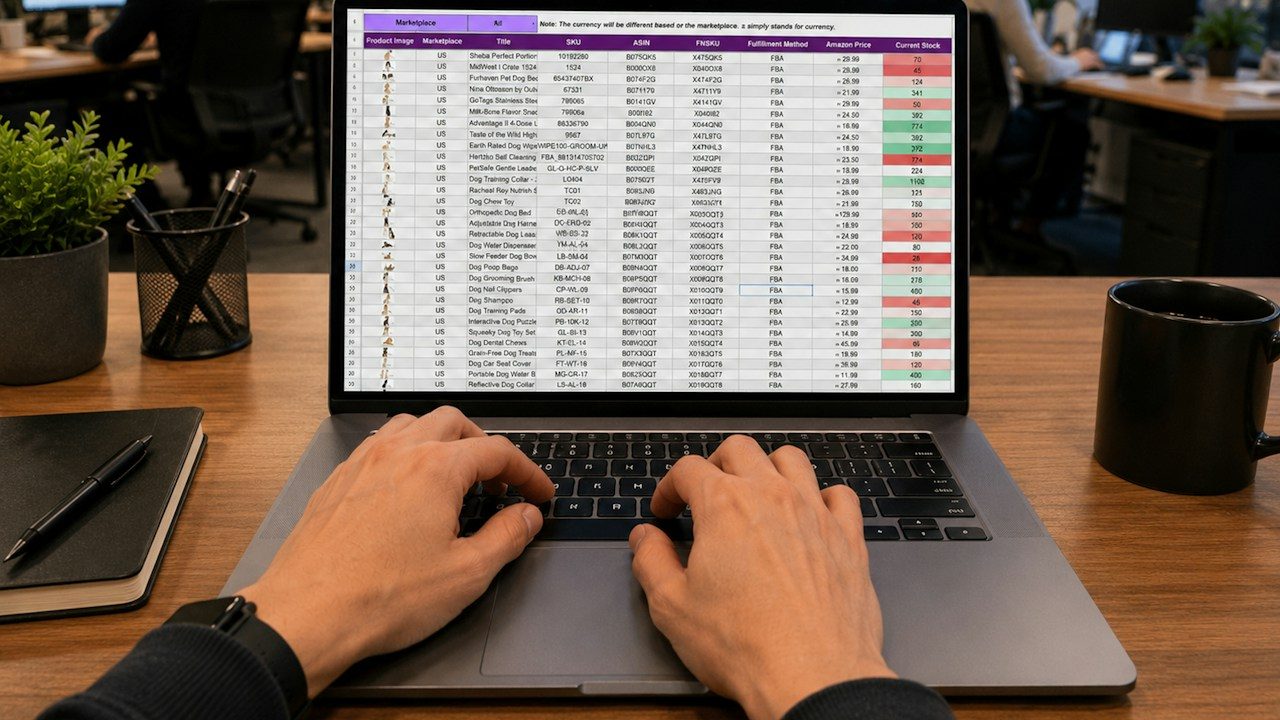
Most growing businesses run on one spreadsheet that everyone depends on and nobody fully trusts. It started as a quick way to track orders, jobs or shipments, and now it is the place where work slows down. If your team spends more time fixing the sheet than using it, you have probably outgrown spreadsheets.
That is not a failure. Spreadsheets are a great way to figure out how a process should work. The trouble starts when the process grows up and the tool does not.
The warning signs
If three or more of these sound familiar, the spreadsheet has become the bottleneck.
- Version conflicts. Someone is working from "Dispatch_FINAL_v3" while someone else updates "Dispatch_FINAL_v3 (1)". Two people edit the same row and one change quietly disappears.
- Everyone can see and change everything. The warehouse lead can edit pricing. A new hire can sort one column and scramble the rest. You can't give a contractor access to their jobs without showing them every job.
- No audit trail you can rely on. When a number is wrong, nobody can say who changed it, when, or why. Version history exists in some tools, but digging through it to find one cell is not a real answer.
- Reporting is a manual project. Every Monday someone copies data out of the sheet, cleans it up and builds the weekly numbers by hand. If that person is out, the report doesn't happen.
- Retyping between systems. Orders come out of Shopify, get pasted into the sheet, then get typed again into QuickBooks. Each handoff is a chance for a typo.
- The sheet is slow or fragile. It takes a while to open, formulas break when someone inserts a row, and only one person really understands how it works.
A quick way to size the problem
Say five people each spend six hours a week copying, checking and fixing data in a shared sheet. That is 30 hours a week, or about 1,500 hours a year across 50 working weeks. At a loaded cost of $35 an hour, that is $52,500 a year spent keeping a spreadsheet alive, before counting the cost of the mistakes it lets through.
Your numbers will be different. The "Run the numbers" calculator on our home page can help you estimate the yearly cost of repetitive computer work in your own business.
Why spreadsheets break down as you grow
A spreadsheet treats every cell the same. It doesn't know that an order number should be unique, that a delivery date can't come before the pickup date, or that only managers should approve a refund.
When five people use it, those rules live in everyone's heads. When 25 people use it across two locations, the rules leak. The sheet still works as a calculator. It stops working as a system of record.
A spreadsheet is a fine place to design a process and a poor place to run one.
What replaces the spreadsheet
The answer is usually not a giant new software platform. For most owner-led companies, it is a small internal tool or dashboard that sits on top of the systems you already use.
Think of it as a purpose-built screen for one job. A distributor might get an order board that pulls from Shopify and pushes invoices into QuickBooks. A home services company might get a job tracker where techs only see their own assignments and office staff see everything. A 3PL might get a receiving log with required fields and a running audit history.
A good replacement typically includes:
- One shared database so there is a single current version of every record.
- Roles and permissions so people see and edit only what their job needs.
- A built-in history of who changed what and when.
- Validation rules that stop bad data at the door, like missing SKUs or impossible dates.
- Connections to your existing tools such as Shopify, HubSpot, QuickBooks, Stripe or Google Workspace, so data flows in instead of being retyped.
- Live dashboards that replace the Monday morning reporting scramble.
This is the kind of work we describe on our custom software page: internal tools, dashboards and integrations that fit how your team already works.
Should you buy instead of build?
Sometimes an off-the-shelf tool is the right call. If your process looks like everyone else's, such as a standard sales pipeline, a mainstream CRM may cover it. Low-code database tools like Airtable or Notion can also be a solid step up from a spreadsheet for smaller teams.
A custom tool makes more sense when your process is what sets you apart, when you need to connect several systems, or when you have already tried a packaged tool and spent months bending your workflow to fit it.
How to migrate without disrupting the business
The fear with any switch is that the business stops while the new tool gets sorted out. It doesn't have to. A careful migration looks like this:
- Map the real process first. Sit with the people who use the sheet daily. Write down every column, every color code and every unwritten rule. The hidden logic is usually where the value is.
- Pick one workflow to move. Don't migrate everything at once. Start with the piece that causes the most pain, like order intake or job scheduling.
- Clean the data before it moves. Remove duplicates, standardize names and fill in missing fields. A new tool loaded with messy data will feel just as broken.
- Run both side by side for a short period. Keep the spreadsheet read-only while the team works in the new tool, so anyone can check that the numbers match.
- Train people on their actual tasks. A short session built around "here is how you do your Tuesday" beats a feature tour.
- Retire the sheet on a set date. Archive it, lock it and point everyone to the new tool. Leaving the old sheet editable invites people to drift back.
- Improve in small steps. Once the first workflow is stable, move the next one.
Our approach follows a similar shape: a short Blueprint phase with a clickable prototype and a fixed quote, then build, launch with hands-on support, and ongoing monthly improvements.
Keep ownership in your hands
Whatever you build or buy, make sure your business owns the accounts, the code and the data. You should be able to export your records at any time and move to another vendor if you need to. If a contract makes that hard, slow down and ask questions. This isn't legal advice, so have a lawyer review any software agreement you are unsure about.
Where to start
You can make real progress this week without committing to anything:
- List every shared spreadsheet your team edits more than once a week, and note who owns each one.
- Time the manual work. Ask each person to jot down how long they spend copying, checking or fixing data for one week.
- Collect the last three mistakes the sheet caused, such as a missed shipment, a double-booked job or a wrong invoice, and what each one cost.
- Lock down what you can today. Restrict edit access, protect key columns and turn on version history where your tool offers it.
- Pick the one workflow you would move first if you could.
That short list will tell you whether a new tool is worth it and where to begin. If you'd like a second set of eyes on it, Forward Integrations is happy to talk it through on a 20-minute intro call. You can reach us through our contact page.
General information only, not legal, tax or financial advice. Examples and figures are illustrative.